Required Training
Your admin can make some River Runs required for you. These are often onboarding, safety or compliance runs, sometimes with a due date.
Where to find your required runs
On River Runs
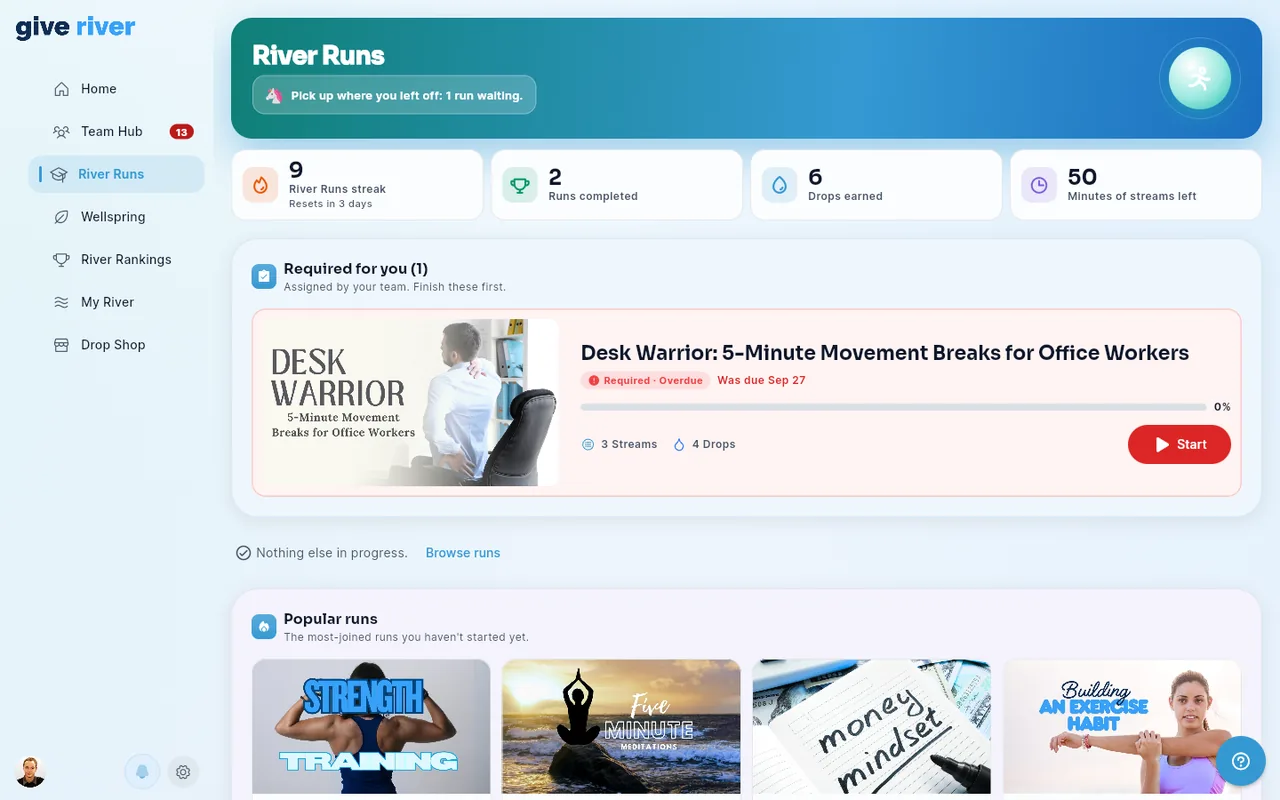
A Required for you section near the top of River Runs, just under your stats, lists the required runs you haven't finished yet. The most urgent (overdue) come first. With one or two, each gets a wide card with its progress, Streams and Drops and a Start or Continue button. An overdue run's card turns red and says when it was due; an upcoming one says how many days are left. With three or more they show as a grid. Required runs aren't repeated in Current Runs. The banner at the top of River Runs also features your most urgent required run as Next up (due soonest, overdue first), with its Required chip and a Start or Continue button.
On Home
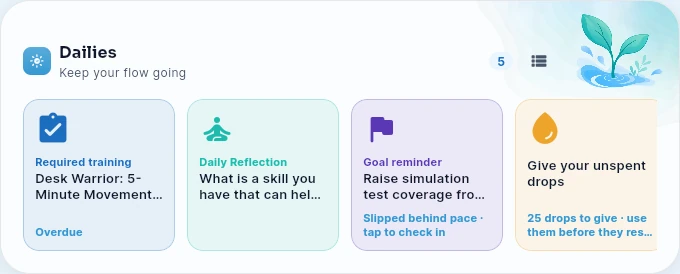
While you have required runs to finish, a Required training card comes first in your Dailies. It shows your most urgent run and its due date (or Overdue). Tap it to open that run, or River Runs if you have several.
On run cards and the run's page
Wherever a required run's card appears (Required for you, Discover, All runs), and next to the run's title when you open it, you'll see a chip:
| Chip | Meaning |
|---|---|
| Required · Due Oct 14 | Finish it by that date |
| Required | Required, with no due date |
| Required · Overdue | The due date has passed. Please finish it as soon as you can. |
| Required · Done | You've finished it |
You're already enrolled in required runs. There's no need to join them. Tap one to pick up where you left off.
Notifications
When a run is assigned to you, you get a notification in the app and a push notification. You may also get reminders:
- a few days before the due date;
- the day after it's due, then weekly, up to 3 times, if it's still unfinished.
Your team may also choose to send these by email. Tapping a notification opens River Runs.
When is a required run complete?
A required run is complete when you finish all of its Streams — the same as any River Run. If you had already finished a run before it was assigned, it counts as done.
On the run's page, the Playlist shows your progress bar and percentage, and marks each Stream you've finished Done (a quiz you passed can show Passed).
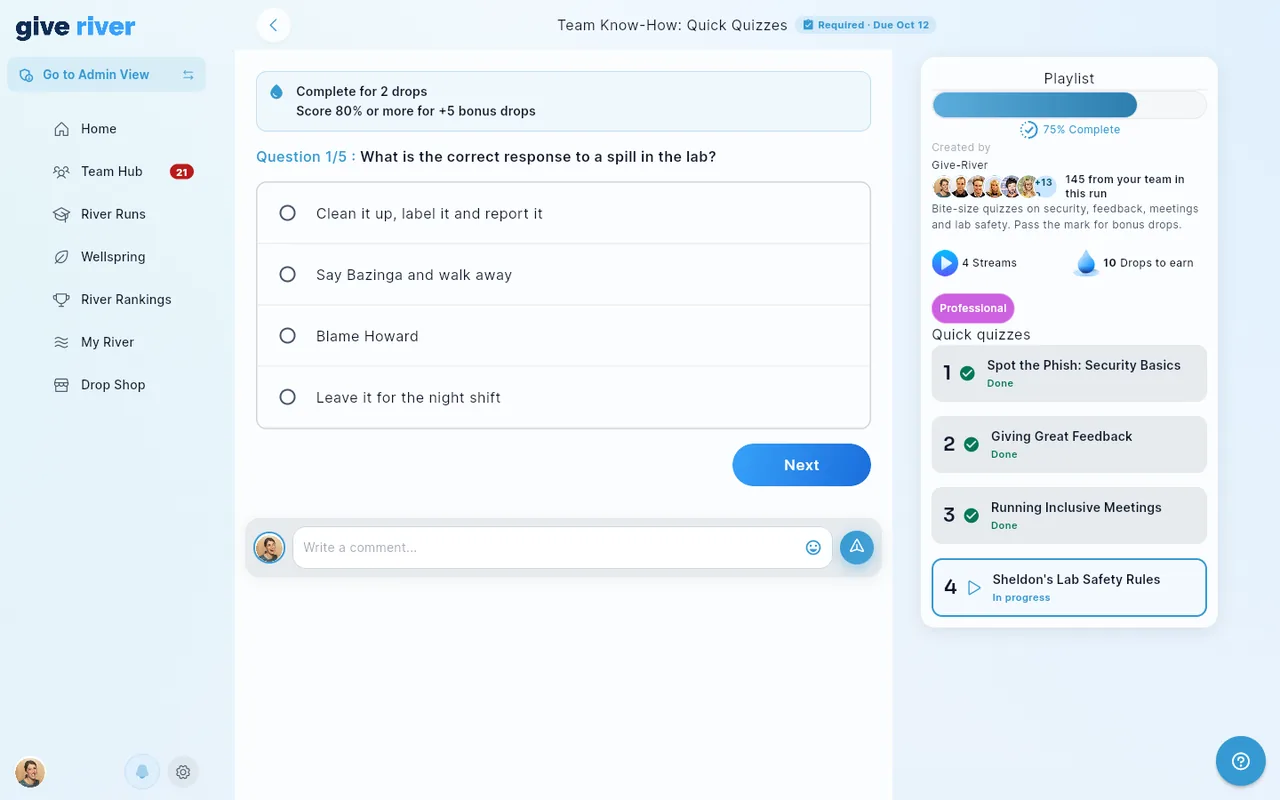
Your admin can see your progress on required runs, and your quiz score if the run has a quiz. The progress they see is the same percentage your run card shows.
Related articles
Did this article help?
Related articles.
See the platform in action.
Free for up to 25 members, or try Core or Growth free for 30 days. A card is required; Free is never charged, and a trial bills when it ends unless you cancel.