Feed Sort and Filter
You can choose how posts are ordered in your Home Feed, and narrow it to one or more locations.
The controls sit on the right of the feed's title (for example Big Bang Team's River), on the same line. They are plain icon-and-text buttons: the clock shows the current sort (Recent or Following), and the pin reads Location.
On a phone, where they don't fit beside the title, they fold into a single filter icon (sliders). Tap it to see the same sort and location choices in one list.
Sorting the feed
The feed defaults to Recent order (newest posts first). To change the sort:
- Tap the sort control (clock icon, labelled with the current sort) next to the feed's title — or the filter icon on a phone.
- The Sort By list opens.
- Select a sort option and the feed reloads immediately.
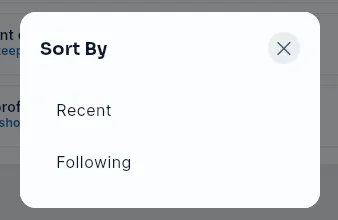
Available sort options:
| Option | Description |
|---|---|
| Recent | All team posts, sorted by newest first (default) |
| Following | Posts only from people you follow, sorted by newest first |
Filtering the feed by location
- Tap Location (pin icon) next to the feed's title — or the filter icon on a phone.
- Pick one or more locations. The feed reloads with posts for those locations.
While a location filter is on, the control turns your brand color and shows what you picked — for example Pasadena, or Pasadena +2 for several — with a small × next to it. Tap the × to clear the filter and see the whole team again. On a phone the filter icon gets a dot, and the active location appears under the title with its ×.
To see every post with a core value, tap its #hashtag in any post.
Tips
- Loading more posts or refreshing never shows you the same post twice.
Did this article help?
Related articles.
See the platform in action.
Free for up to 25 members, or try Core or Growth free for 30 days. A card is required; Free is never charged, and a trial bills when it ends unless you cancel.