River Runs: First-Use Consent
The first time you open River Runs, Give River asks you to agree to the River Runs terms and conditions before you start.
1 min readUpdated June 20, 2026
What You See
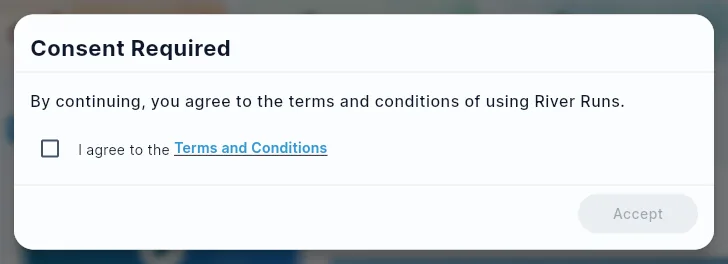
A Consent Required dialog says: "By continuing, you agree to the terms and conditions of using River Runs."
What You Need to Do
- Tick I agree to the Terms and Conditions (the box starts unticked; tap Terms and Conditions to read them first).
- Tap Accept.
Accept stays greyed out until you tick the box.
You only need to agree once. After that, the dialog doesn't appear again, on this device or any other.
What Happens Next
You see the River Runs library. From there you can:
- Browse all available runs
- Filter by category or completion status
- Search by name
- Tap a run to see its description and its Streams
- Tap Play now to enroll
See River Run Overview for a full guide to River Runs.
Did this article help?
Keep reading
Related articles.
River RunsRequired TrainingYour admin can make some River Runs required for you. These are often onboarding, safety or compliance runs, sometimes with a due date.River RunsRiver Run Library and CategoriesThe River Runs home screen is your central hub for discovering and managing learning content. It organizes content into sections so you can quickly find what you need.River RunsRiver Run Progress TrackingGive River tracks your learning progress at two levels: the individual Stream level (did you complete this lesson?) and the overall River Run level (what percentage of the run have you finished?). Progress is displayed throughout the app so you always know where you stand.River RunsRiver Run Quizzes: Rewards and ResultsA quiz is a Stream inside a River Run that asks a few questions. Quizzes can pay Drops for finishing, set a pass mark with a bonus for reaching it, and give admins a clear view of how the team answered — or keep answers anonymous.
See the platform in action.
Free for up to 25 members, or try Core or Growth free for 30 days. A card is required; Free is never charged, and a trial bills when it ends unless you cancel.